Starship VC: Interactive 3D Portfolio Experience
Starship VC needed their portfolio to feel like the thesis behind it. Forward-looking, ambitious, built for scale. The brief: two interactive 3D globes showcasing portfolio companies as geographic points. Earth for current investments. Proxima, a fictional planet, for their future-facing bets. Scroll-driven transitions between the two. Full Webflow CMS integration so the team could manage content without a developer.
The timeline was two weeks.
The Problem
The real challenge wasn’t rendering two globes. It was building something that could grow after handover. Starship’s portfolio would expand. New companies would need adding. If every update required a developer, the project would become a liability instead of an asset.
Every architectural decision started from that constraint.
Architecture: CMS-Driven 3D
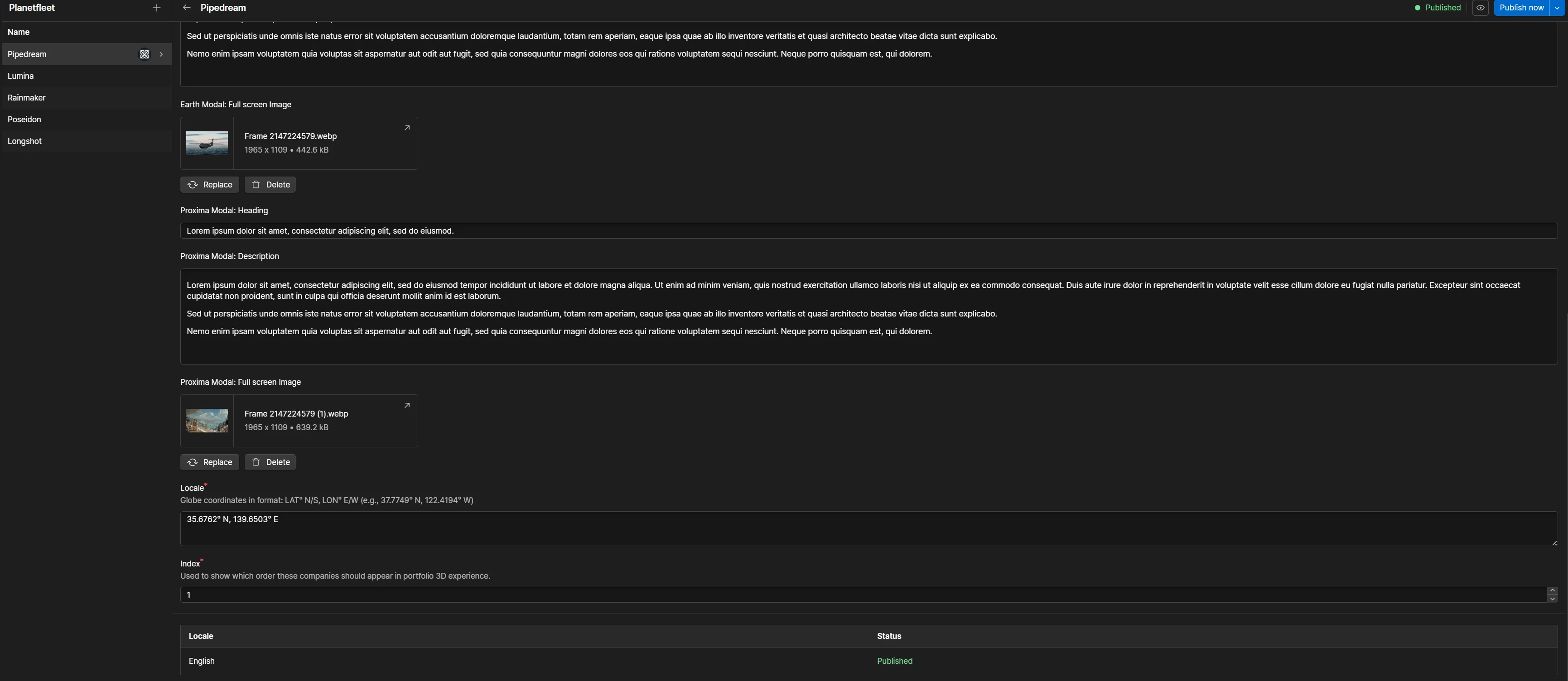
Built the experience as a React Three Fiber scene that reads directly from Webflow’s CMS. Each portfolio company is a CMS entry with latitude, longitude, and metadata. The 3D scene fetches this data at runtime and positions companies on the correct globe.
Adding a new portfolio company takes thirty seconds. Create a CMS entry, enter coordinates, publish. No code. No deploys. No developer.
This approach removed future friction entirely. The client controls their own content through tools they already use.
The Webflow Integration Problem
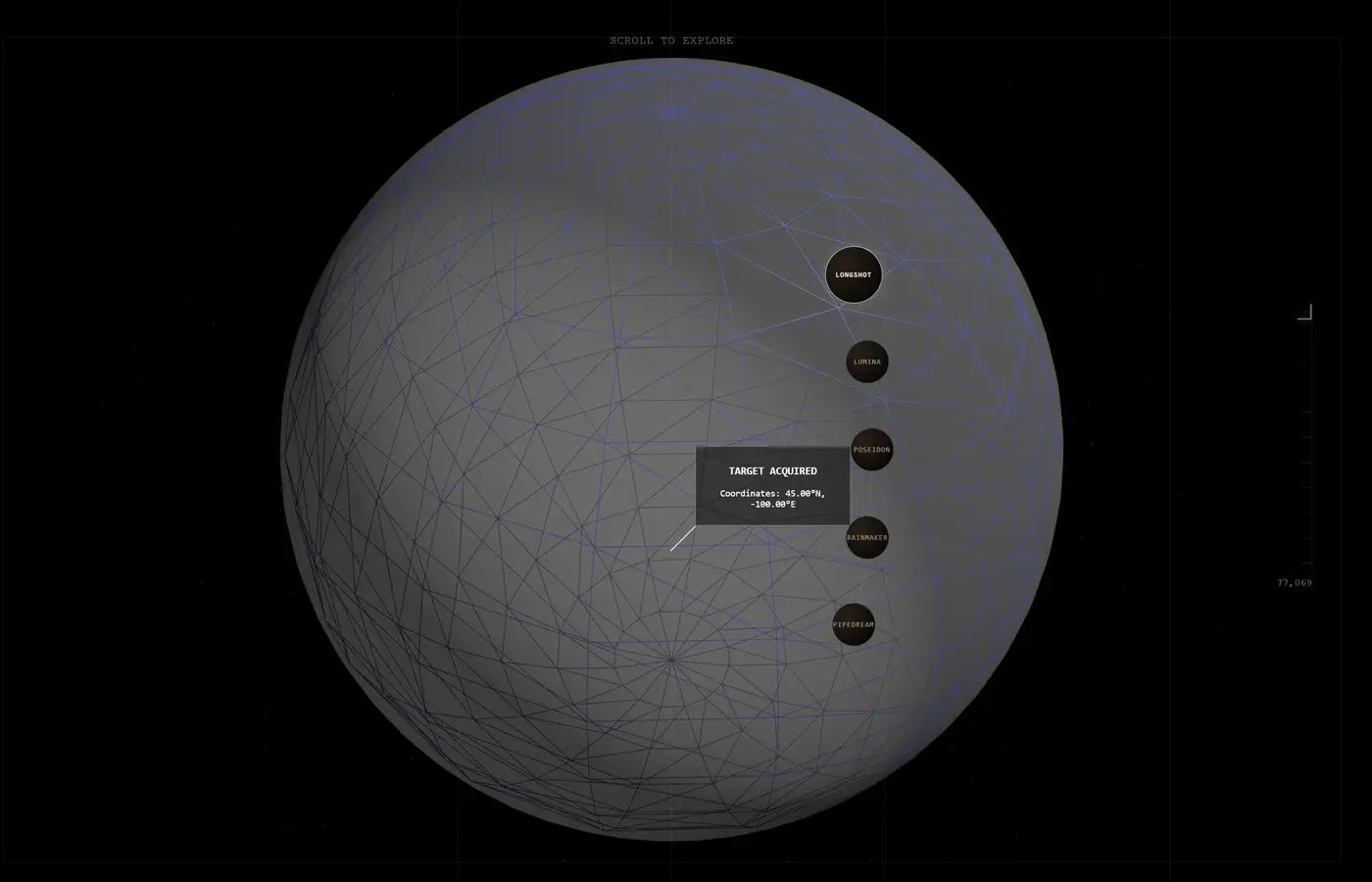
Webflow’s custom code element has real limitations. No npm packages. No build tooling. No module system. There’s a gap between what you can build in a local dev environment and what Webflow can actually deploy.
The solution was a custom devlink component. It gives you full npm package access and hot module reloading during development, then compiles down to something Webflow can serve in production. The result: proper development tooling without sacrificing platform compatibility.
This pattern is reusable. Any Webflow project that needs complex interactivity can use the same approach.
Building the Planets
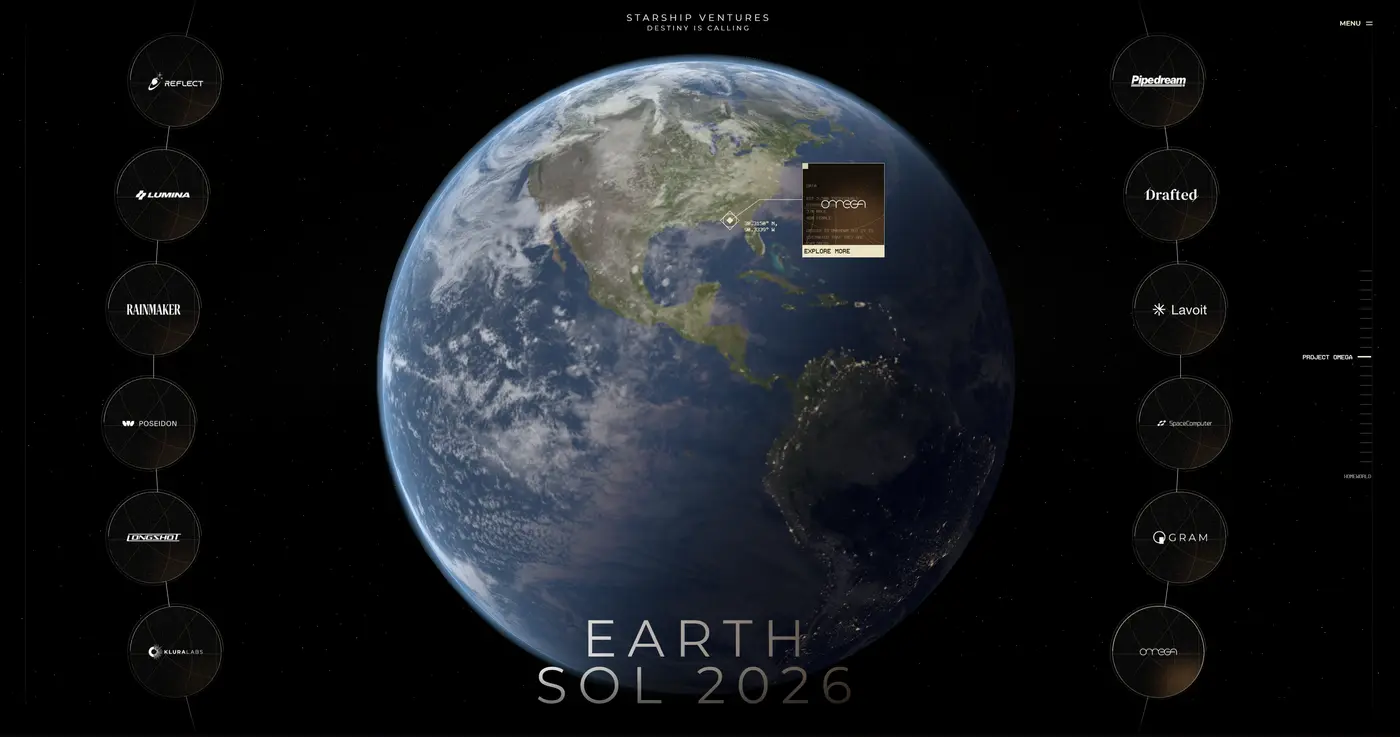
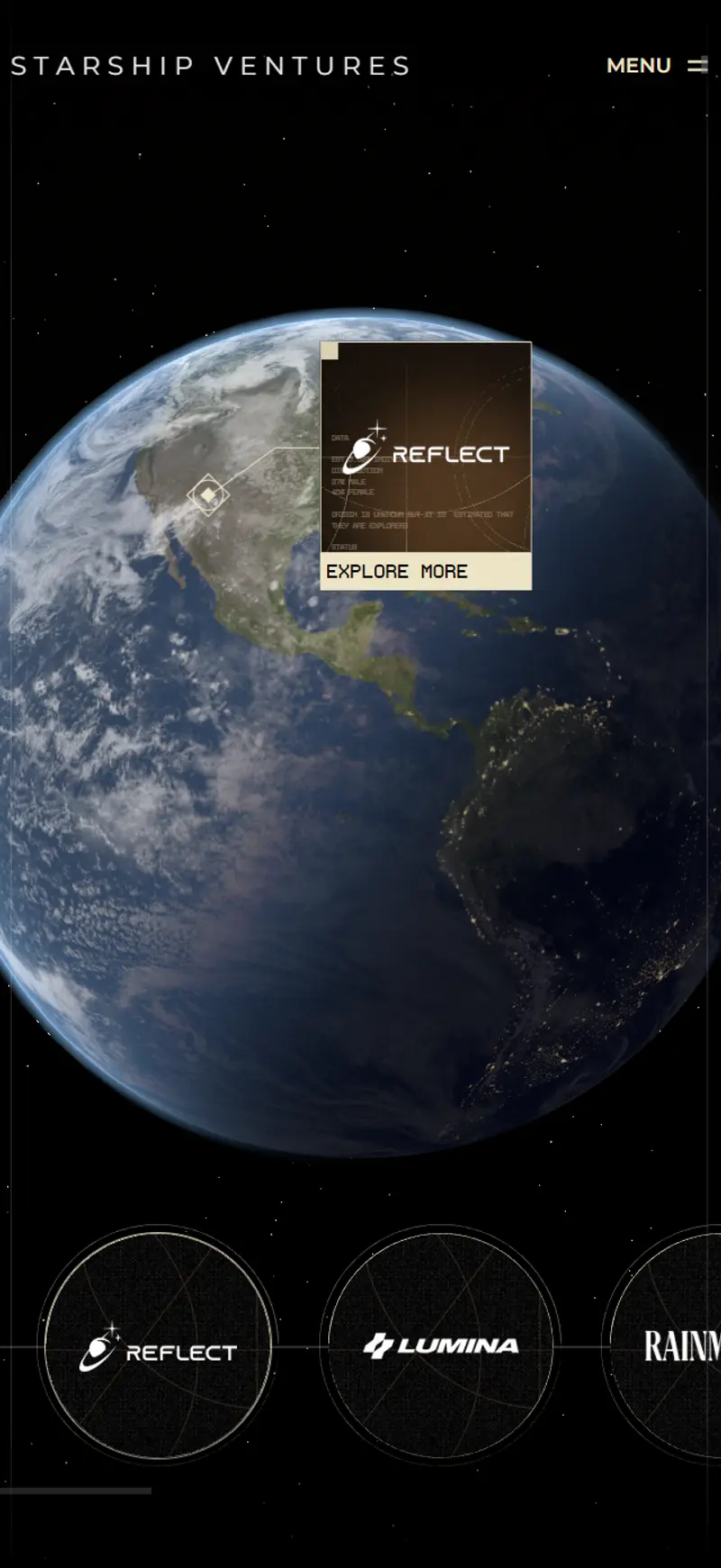
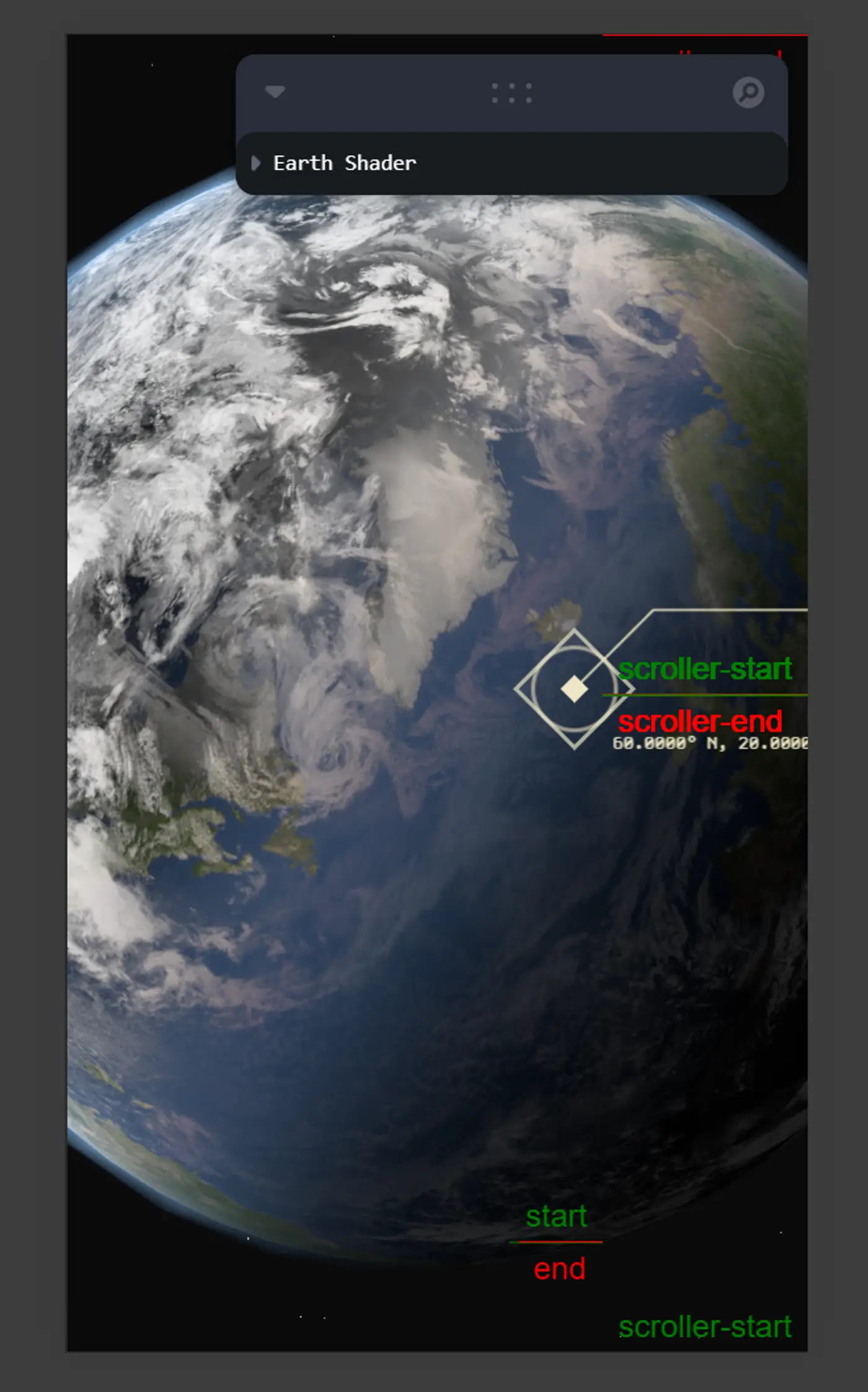
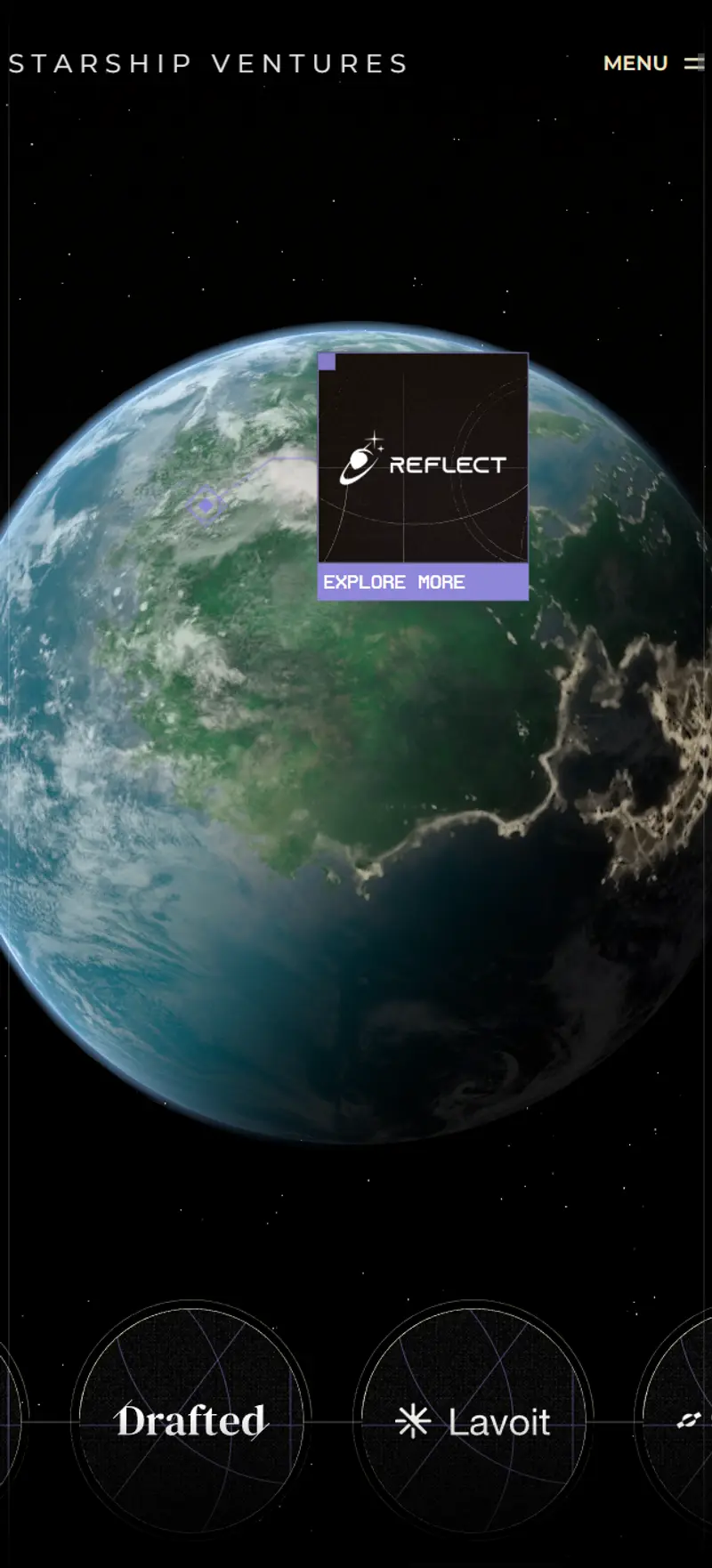
Earth uses a standard albedo texture with a subtle atmosphere rim. Straightforward implementation. The focus was on getting the company markers right. Each point renders at the correct lat/long with hover states and popup cards showing company details.
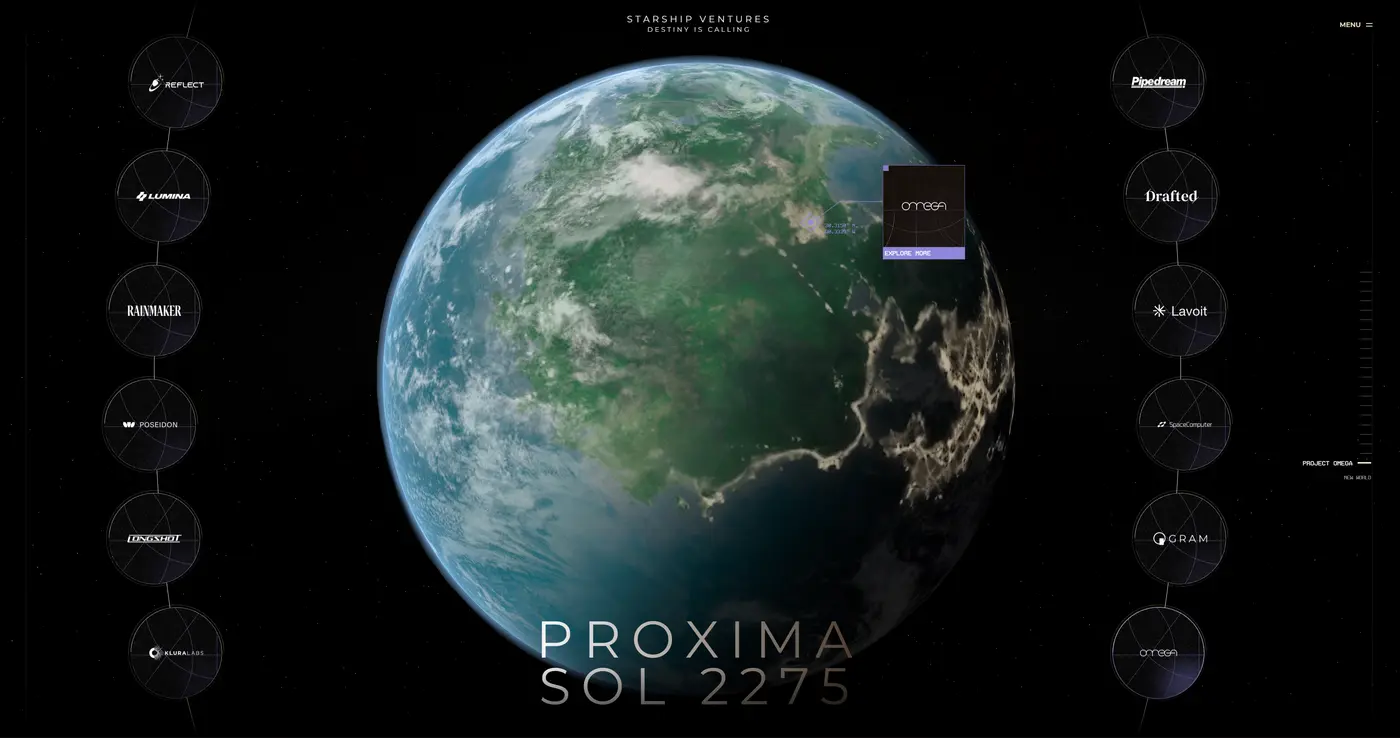
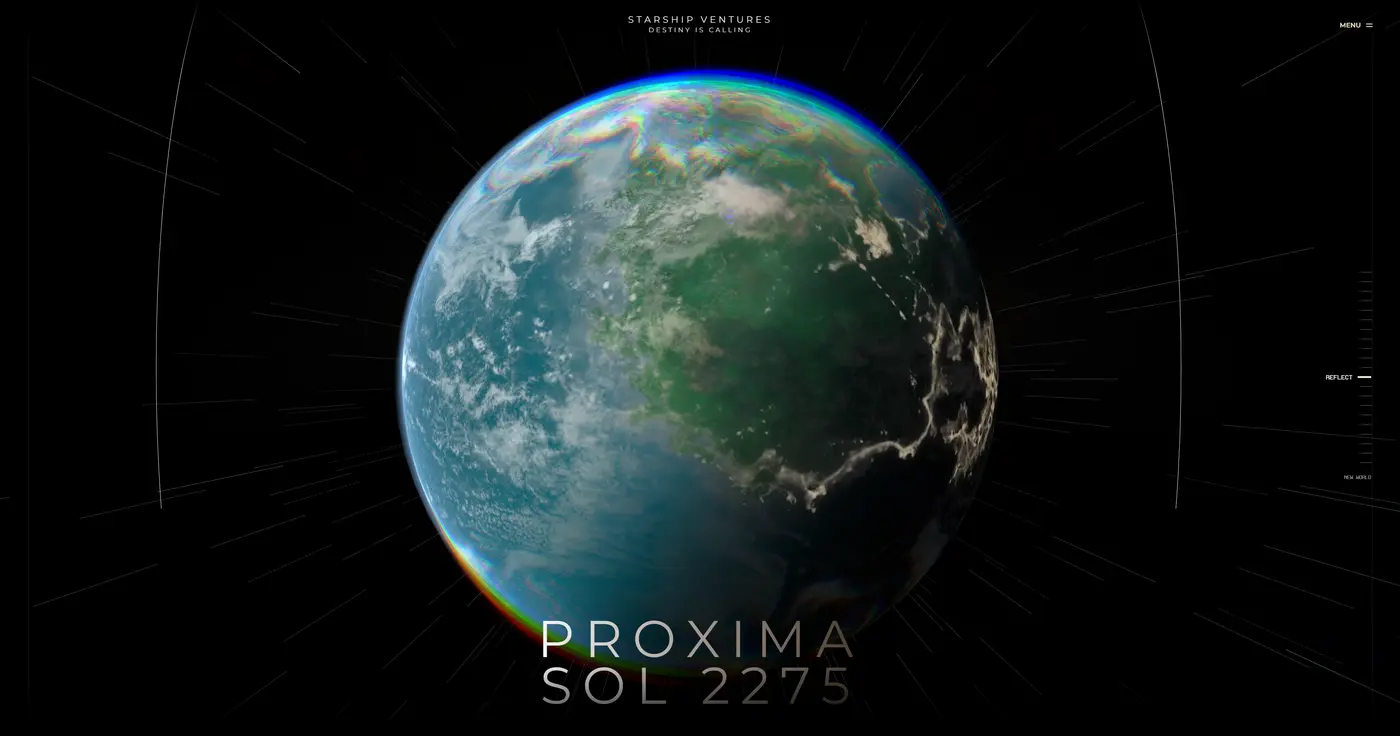
Proxima required everything from scratch. Generated custom day and night texture maps, built a GLSL atmospheric shader that creates volumetric light scattering, and implemented a directional light source that drives the transition mask between lit and dark hemispheres. The planet needed to feel alien but recognisable, with enough visual depth to justify the interaction model without overwhelming the portfolio data.
The Timewarp Transition
The original design placed Earth and Proxima side by side. Pan left for one, pan right for the other. Functional, but it missed the narrative.
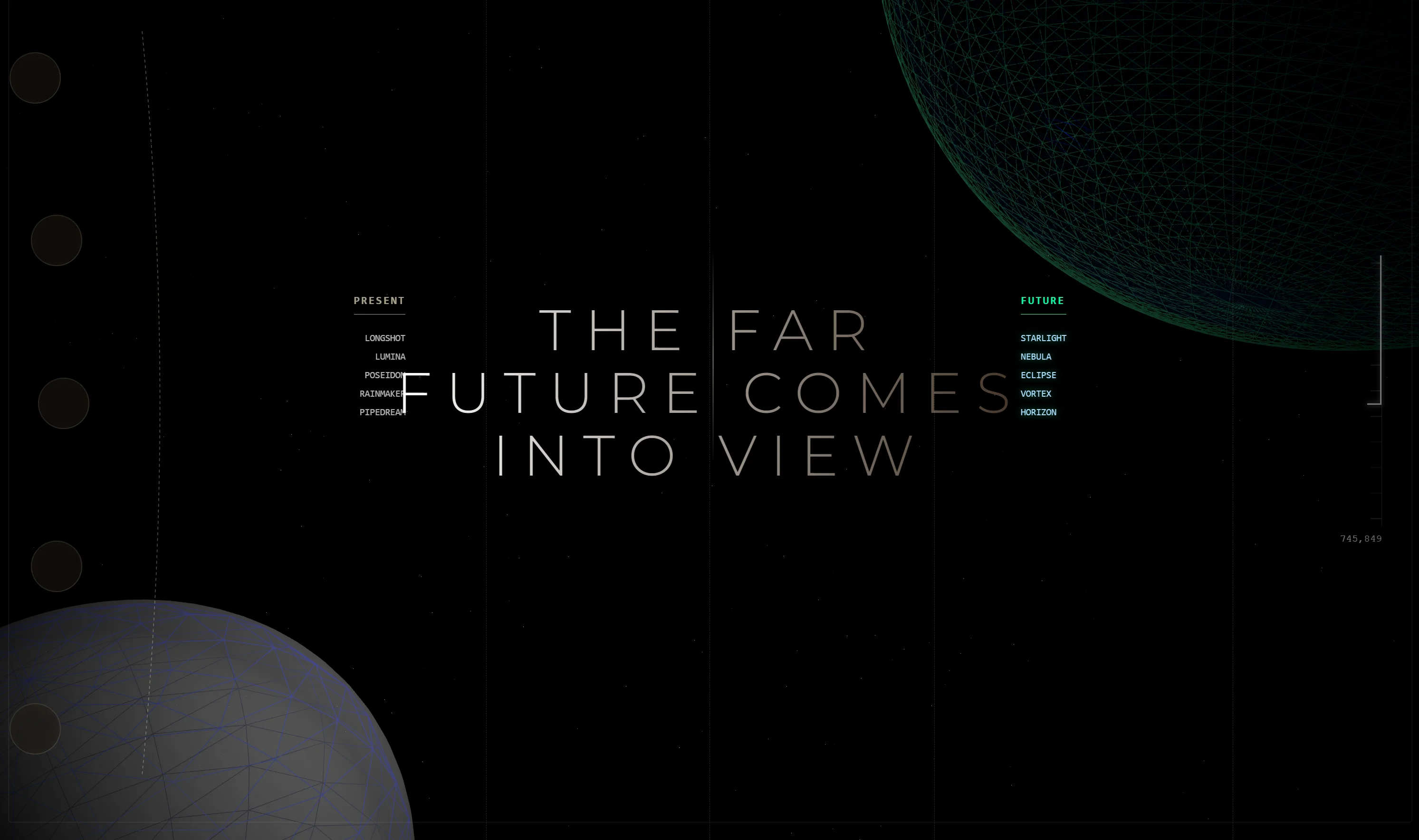
Proxima represents Starship’s future-facing thesis. A static horizontal pan doesn’t communicate “moving from present to future.” I proposed an alternative: a timewarp sequence. The camera travels through a temporal distortion with particle effects, colour shifts, and spatial warping from Earth to Proxima.
The client approved immediately. The transition became the defining feature of the experience.
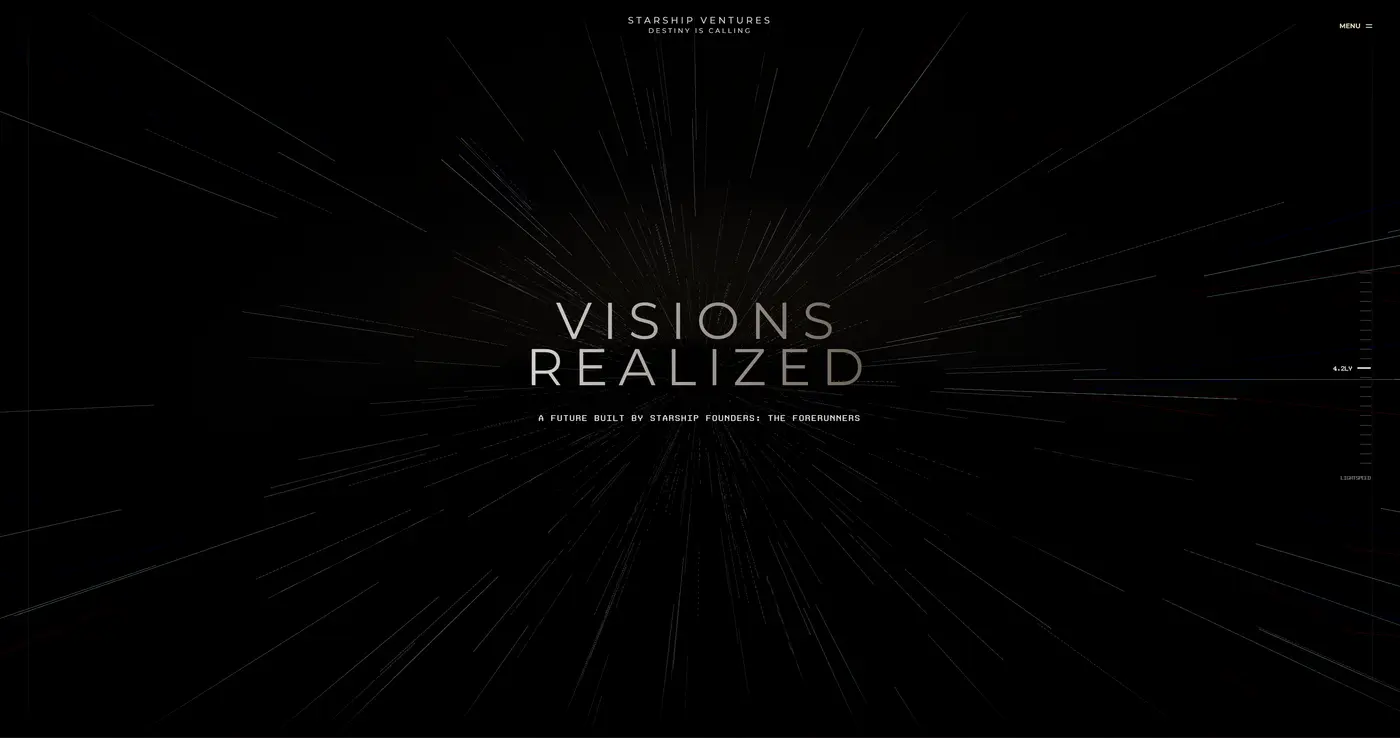
GSAP ScrollTrigger drives the entire sequence. Scroll position maps directly to camera movement through the timewarp, engineered to feel continuous rather than staged. No jarring cuts. No loading states. One fluid journey between worlds.
Responsive
The full experience scales down to mobile. The globes remain interactive, company popups adapt to the smaller viewport, and the scroll-driven transitions work identically on touch devices.
Outcome
Delivered five companies per globe as briefed. On time. On budget.
Post-launch, the client expanded significantly, adding more than double the original portfolio companies. The CMS architecture handled the scale without a single code change.
“Dean brought a level of craft and technical depth that’s rare to find. The 3D portfolio experience he built exceeded expectations. Premium quality, delivered smoothly.”
— Andy Measham, Daystreet
What I’d Do Differently
The devlink workflow was the biggest learning curve. By the end of the project, hot reloading had broken down entirely. Every change required pushing via npx webflow library share rather than working locally with Vite. This happened because of scope creep. The initial two-week build went smoothly, but when I jumped back in for additions, the local development workflow had already been dismantled. I was deploying blind.
If I were starting this project today, I’d scaffold the devlink integration differently. Keep the local Vite dev server running in parallel with the Webflow preview throughout the entire project lifecycle, not just the initial build phase. The setup cost is minimal and it saves hours of round-trip deploy cycles.
Key Takeaway
Building for handover changes how you think about architecture. The goal isn’t clever solutions. It’s obvious ones. Every technical decision was made assuming future updates would happen without the original developer present.
The CMS integration was the linchpin. It turned what could have been a static, maintenance-heavy 3D demo into a dynamic system the client controls entirely through their existing workflow.
Results
- Delivered two interactive globes with five portfolio companies each, on time, in two weeks
- CMS-driven architecture lets the client add new companies without code changes
- Client expanded from 10 to 20+ portfolio companies post-launch with zero developer involvement
- Custom timewarp transition became the defining interaction of the experience
Frequently Asked Questions
- What is the Starship VC 3D portfolio experience?
- An interactive WebGL experience built with React Three Fiber that displays Starship VC's portfolio companies as geographic points on two 3D globes, Earth and a fictional planet called Proxima. Users scroll through a timewarp transition between the two worlds.
- How does the Webflow CMS integration work?
- Portfolio companies are stored as Webflow CMS entries with latitude and longitude coordinates. The 3D scene reads this data at runtime and positions each company on the correct globe. Adding a new company requires no code changes, just a CMS entry.
- What technologies were used to build this?
- React Three Fiber for the 3D scene, Three.js for rendering, GSAP ScrollTrigger for scroll-driven animations, custom GLSL shaders for planetary atmospheres, and a Webflow devlink component for platform integration.
- Can this approach work for other Webflow sites?
- Yes. The devlink component pattern bridges the gap between modern JavaScript tooling and Webflow's deployment constraints. Any Webflow site can use this approach to embed complex interactive experiences without sacrificing CMS control.
Like what you see?
Let's build something together.
Book a call